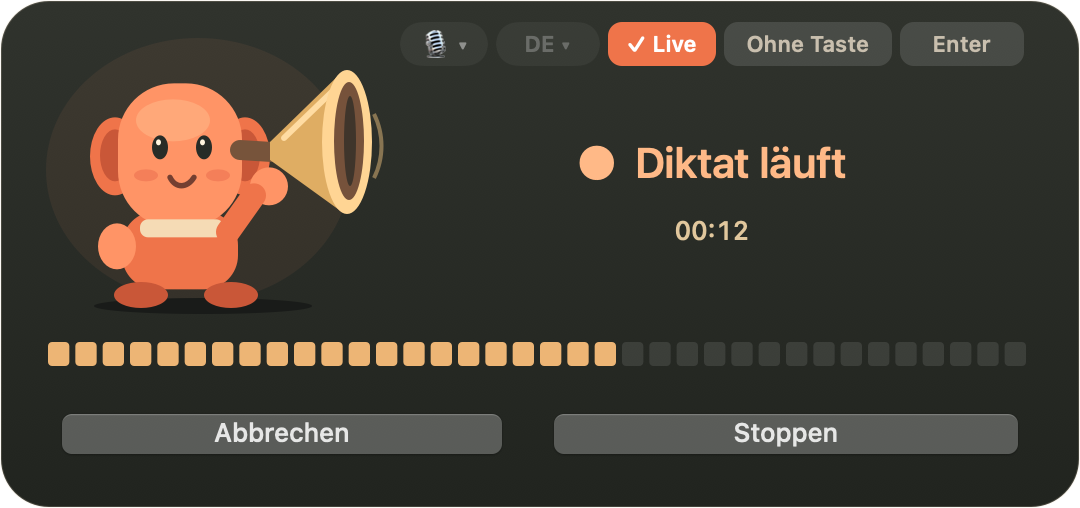
Live writing
Every sentence appears while you are still speaking, as soon as you pause briefly. Not only at the end.
Your voice stays on your Mac.
Just start talking: Mumpio writes your text in near real time right where your cursor is, in any app with a text field. No more waiting around, all on your Mac.
The sign-up page is currently in German.
Free allowance every month – all features, no credit card.
With the default model, “Super fast”, Mumpio recognizes a sentence in about 0.1 to 0.2 seconds. No more waiting around, and everything stays on your Mac.
Every sentence appears while you are still speaking, as soon as you pause briefly. Not only at the end.
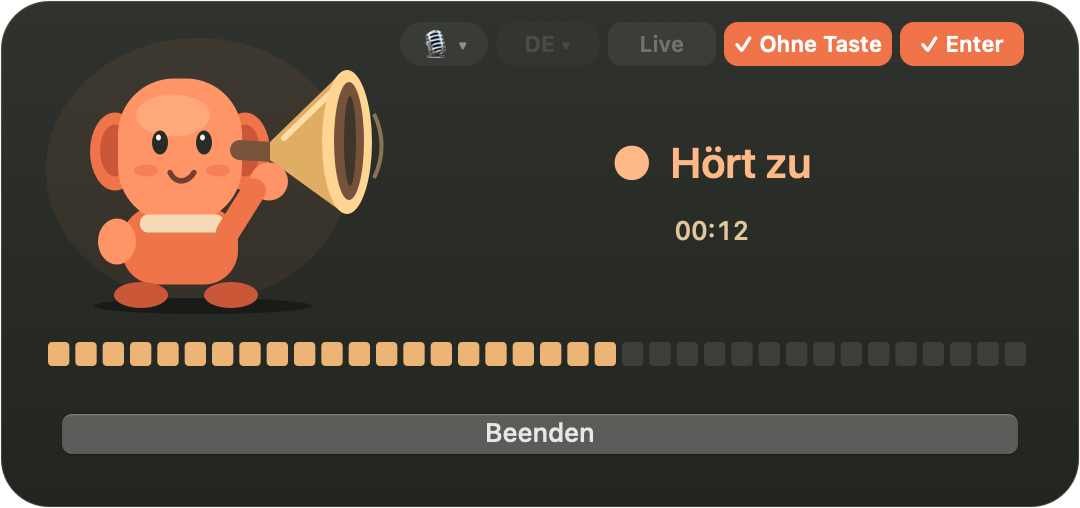
Mumpio keeps listening and writes into the active text field after every pause, without any dictation key. Switch it on and off with one click in the dictation window.
After inserting, Mumpio presses Enter automatically. Chat messages go out right away.
In the dictation window you choose the microphone and switch Live, Hands-off and Enter. Hover over a switch and a small speech bubble explains it.
A small Mumpio lives in the menu bar. Settings stay lean: dictation key, model, account.
No, everything stays on your Mac.
You pick the recognition model in Settings. All of them are AI speech models and run on your Mac, nothing is uploaded.
The fastest model: about 0.1 to 0.2 seconds recognition time per sentence.
The all-rounder: about 1.3 seconds per dictation.
The most accurate of our local models on read-aloud text, but slower: about 2.3 seconds per dictation.
Internet only for the model download and license check. Privacy details
Your choice: super fast, balanced or super accurate, right on your Mac instead of in a cloud.
Automatic language detection, or switch right in the dictation window. Super fast: 25 European languages.
Punctuation and capitalization come by themselves, you just speak.
Left or right Control or Option key.
With level meter, freely movable.
For AI chats and the terminal.
Pause briefly – the sentence is there. With “Super fast”, recognition then takes about 0.1 to 0.2 seconds.
Switch it on, start talking: Mumpio writes after every pause.
A free allowance every month, no credit card.
Text 9 of the everyday dictations (German), one of the clearest examples: across all 10 texts Mumpio was error-free on 3, macOS speech recognition on 1. Both outputs verbatim; differing words are marked, missing words and punctuation are not.
Ich habe heute darüber nachgedacht, warum Diktieren im Alltag so selten genutzt wird. Ich glaube, es liegt vor allem daran, dass man dem Ergebnis nicht vertraut. Wenn jedes dritte Wort falsch ist, tippt man lieber selbst. Sobald die Erkennung aber zuverlässig ist, merkt man plötzlich, wie viel schneller man denken und formulieren kann.
Ich habe heute darüber nachgedacht, warum Diktieren im Alltag so selten genutzt wird. Ich glaube, es liegt vor allem daran, dass man dem Ergebnis nicht vertraut. Wenn jedes dritte Wort falsch ist, tippt man lieber selbst. Sobald die Erkennung aber zuverlässig ist, merkt man plötzlich, wie viel schneller man denken und formulieren kann.
0 word errors in 53 wordsIch habe heute darüber nachgedacht, warum diktieren im Alter so selten genutzt wird ich glaube, es liegt vor allem daran, dass man nicht mit dem Ergebnis nicht vertraut. Jedes dritte Wort trainierst du drüber falsch ist, tippt man lieber selbst sobald Erkennung aber zuverlässiges merkt man, dass ihr, wie schneller man denken und formulieren kann.
13 word errors in 53 wordsCompared with Apple’s on-device speech recognition, 100 read German sentences (FLEURS): Mumpio with Parakeet makes 61.5 % fewer word errors and is more than three times as fast; with Whisper even 67.5 % fewer errors. On everyday texts 37.5 % and 53.8 % fewer. Audio-file processing times, not live latency. Method and limits: benchmark page
Wherever you want to write.
Your buddy shows: recording.
Mumpio inserts the text. Or with no key at all: switch on Hands-off mode and just talk.
This is an animation for illustration. This page doesn’t record or recognize speech: Mumpio only works in the Mac app, on your own device. The recording window in the animation shows the app as it looks today: the app interface is currently in German.
In ChatGPT, Claude, Cursor and the terminal. You send it yourself.
Reply as you talk; nothing is sent until you press Enter.
Talk first, polish later.
Capture thoughts while they’re fresh.
Describe in your own words what your code does.
Fill long free-text fields by voice, too.
A free allowance every month – all features, no credit card. For unlimited use, Pro is €0.99 a month, and if you subscribe you keep that price.
Price guarantee: if you subscribe, you keep your price. All prices include VAT.
Free allowance every month
Introductory price until 31 Dec 2026, then €5.99 a month. Subscribe by then and keep €0.99 for as long as your subscription runs.
Unlimited · 1 Mac
Cancel any time at the end of the period.
Unlimited · up to 3 Macs
Cancel any time at the end of the period.
Unlimited · 1 Mac · pay once
One device per license, Multi Pro up to three. Internet only for activation and license checks.
Every month you can dictate 1,000 words for free, with all features, no credit card and no expiry. For unlimited use there is Pro (€0.99/month), Multi Pro (€1.99/month, up to 3 Macs) and Lifetime (€19 once), incl. VAT. Got a voucher code? Enter it in the app under “Enter code”.
Yes. The recognition model (about 0.5 to 3.1 GB depending on the model) is installed once and recognizes speech locally. Mumpio doesn’t upload recordings or text anywhere; it uses the internet only for the download and the license check.
Because recognition in German is measurably better: on 100 read sentences (FLEURS) Mumpio (with the “Balanced” model) had 4.5 % word errors, macOS speech recognition (Apple Speech API, not the Dictation feature itself) 13.8 %; on 10 of our own everyday dictations 11.9 % versus 25.8 %. Plus 100 languages with automatic detection. Method and limits are on the comparison page.
You choose in Settings. “Super fast” is the default and the fastest model: 25 European languages, detected automatically, about 0.1 to 0.2 seconds per sentence. “Balanced” takes about 1.3 seconds per dictation (100 languages), and “Super accurate” is the most accurate (about 2.3 seconds). All of them run locally on your Mac. “Super fast” is faster but less accurate than “Balanced” – clearly so on our everyday dictations (16.1 % instead of 11.9 % word errors). Mumpio is an independent product of MMC Grosser Freund GmbH.
With the “Super fast” model on an Apple Silicon Mac, Mumpio recognizes a sentence in about 0.1 to 0.2 seconds (pure recognition time, plus the short speaking pause), roughly 0.3 to 0.4 seconds including process start. “Balanced” takes about 1.3 seconds per dictation, “Super accurate” about 2.3 seconds. Times depend on your Mac and text length.
With Live writing, every sentence appears while you are still speaking, as soon as you pause briefly, instead of only at the end of the dictation. The switch is in the dictation window. Live writing is built for the “Super fast” model; with the other models the text is inserted at the end, as before.
In Hands-off mode, Mumpio listens and writes into the active text field after every pause, without any dictation key. That applies only while you have the switch turned on in the dictation window; one click turns it off again. The switch stays on after Mumpio restarts until you turn it off. As with normal dictation, every recognised sentence is also placed on the clipboard. Recognition runs only on your Mac: audio and text are not uploaded. Each sentence is only buffered briefly for recognition and deleted right afterwards. Hands-off mode is built for the “Super fast” model.
With the Enter switch on in the dictation window, Mumpio presses Enter automatically after inserting. Chat messages go out right away. Without the switch, you press Enter yourself.
100 languages, or Mumpio detects the language automatically. Recognition quality can vary by language.
You need macOS 13 or newer. The “Super fast” model, also for Live writing and Hands-off mode, needs an Apple Silicon Mac (M1 or newer) with macOS 14 or newer; on other Macs Mumpio offers “Balanced” and “Super accurate” automatically. These also run on Intel Macs, there on the CPU and much slower.
A permanent license for the app version you bought, no subscription. Activation is checked online at least every 30 days.
New Mac? Just sign in. If all seats of your plan are taken, the Mac that has gone unused the longest is signed out automatically.
Into common editable text fields, yes, including terminal programs such as Claude Code or Codex. Tap the dictation key, speak, tap again, and the text is inserted where your cursor is. Protected fields and some apps may prevent it; then the clipboard helps.
Only for the one-time download of the recognition model (about 0.5 to 3.1 GB depending on the model) and for the license check (subscription at least every 7 days, Lifetime at least every 30 days). Speech recognition itself runs locally; recordings and text are not transmitted.
Yes, up to 1,000 words per month, with no expiry and no credit card. For more words there is Pro for €0.99 a month or €9.99 a year, Multi Pro (€1.99 a month, up to 3 Macs) or Lifetime (€19 once), all incl. VAT.
Yes. Mumpio is a product of MMC Grosser Freund GmbH, Berlin (Amtsgericht Charlottenburg, HRB 256190 B). Support: support@simplecase.de.
Yes. Punctuation and capitalization are added automatically; you just speak in full sentences and don’t need to say the punctuation.
Mumpio recognizes one language per dictation: with automatic detection (“Automatisch erkennen” in the German app interface) it picks the language of each dictation. Single English technical terms inside German sentences (Vercel, Repository) were misrecognized more often in our test, so pronounce them clearly. Alternatively, set one of the 100 languages in Settings or in the dictation window.